Real Estate Software
zipForm 6 account
required to order!


Real estate professionals know time is money and every minute spent waiting for a signature can cost valuable revenue. zipLogix Digital Ink® is the digital signature solution designed specifically for the real estate professional.

Digital signatures revolutionize the customer experience, offering clients a truly secure paperless electronic process that can be trusted. Today’s tech savvy consumers prefer not having to drive to your location or print and fax documents. The automated and straight-forward process enabled by digital signatures creates the competitive advantage to stand out in today’s market.


zipLogix Digital Ink ensures that all of the document’s data and the digital signature are protected throughout the entire "signed, sealed and delivered" online process. Digital signatures permanently secure the identity of signers and the document’s content. Once the document has been signed, its integrity is permanently protected. Any attempt at changing the data or tampering with the signatures automatically and visibly invalidates the document.


zipLogix Digital Ink has no monthly, quarterly, or annual fees. Each purchased credit allows you to send a transaction as many times as needed to conclude the deal. One transaction credit enables the user to send as many documents within a transaction as long as the party names, property address and email address do not change. zipLogix Digital Ink offers the most versatile digital signature purchase model for real estate professionals today.

  • Designed for the Real Estate Industry - Great price and credits never expire

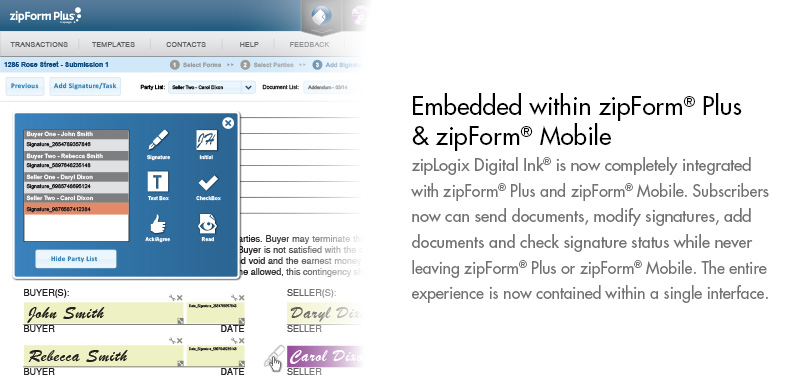
  • Digitally Sign Documents - Send forms or PDFs for digital signatures within zipForm 6.

  • Enhanced Security - Protect client's confidential information

  • Convenience - No printing, faxing, driving


zipLogix Digital Ink is revolutionizing the customer experience and provides real estate professionals the means to offer clients a trusted paperless electronic process.


User Friendly Interface

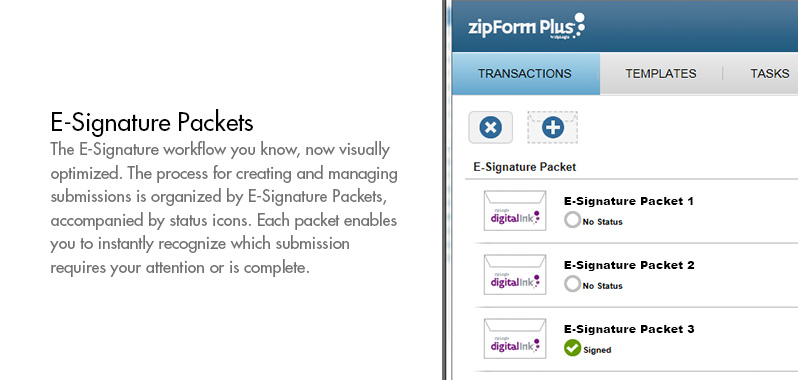
The zipLogix Digital Ink dashboard has been streamlined to better meet the needs of users. Sending documents within the dashboard has been updated with a step-by-step flow, guiding the user through the sending process.

Group Signing Options

Signers can be grouped together to sign at the same time for quick document completion. Grouped participants, such as spouses, can then sign without waiting for the other to sign.

Enhanced Document Display

The entire form is displayed for quickly adding signatures, initials and custom fields. With entire forms and uploaded documents displayed they are completely scrollable for faster navigation.

Custom Fields

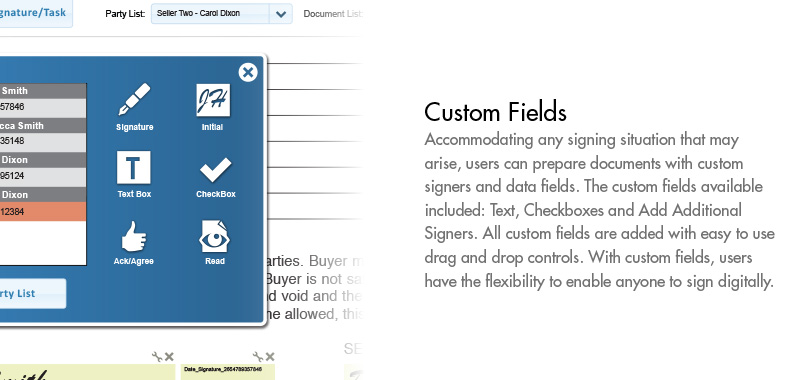
Accommodating any signing situation that may arise, users may prepare documents with custom signers and data fields. The custom fields available are: Text, Checkboxes, as well as the ability to add additional signers. All custom fields are added with drag and drop controls. With custom fields users have the flexibility to allow anyone to sign digitally.

Automated PDF Delivery

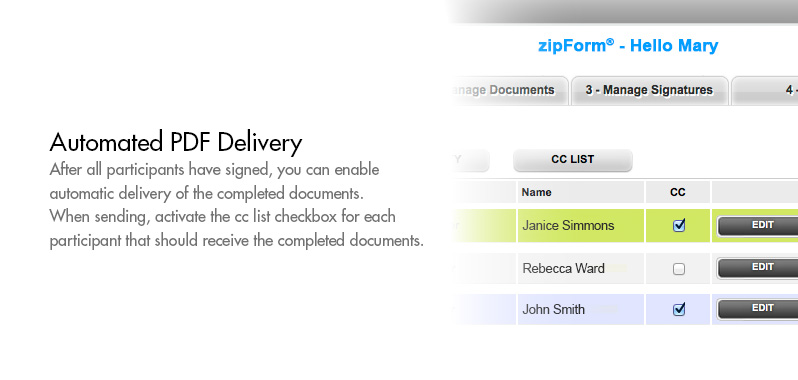
Upon the completion of the signature process you can enable automatic delivery of the completed documents. When sending activate the “CC” checkbox to corresponding participants to receive the documents.

Control Post Send

After sending documents for signatures users can control the process. Within the zipLogix Digital Ink dashboard there are options to suspend and edit or cancel signatures. This allows  flexibility in the signature process as well as being able to pause the transaction  should there be a change.

Track the Signing Process

The entire signature history is now available within the zipLogix Digital Ink dashboard. After clicking on “View History” the entire signing history will be displayed with detailed information of the signing process. You may print a report for your records.

Address Book Integration

The zipForm address book helps facilitate the signature process. This allows users to utilize saved contact information for quicker sending. Once a contact is chosen the name and email address will populate the send window for the respective role.

 
spacer
spacer spacer spacer

©Copyright 2013, zipLogix. All Rights Reserved